Auto-generated types
Every command gets a sibling Types ModuleScript at creation time. It contains a Props type and an ArgumentResult type generated from your Arguments schema. The default starter template already uses these in the Run signature, so you get full Luau autocompletion on arguments.<key> from the moment you write the schema.
The Types module
When you create a command named RecolorParts, the plugin creates:
ServerStorage
└── CommandRunnerScripts
    └── RecolorParts            ← your ModuleScript
        └── Types               ← sibling, auto-managed
The Types module looks roughly like:
--!strict

export type Props = {
    Arguments: any,
    Selected: { Instance },
    FirstSelected: Instance?,
    Plugin: Plugin,
    Configuration: any,
    -- ...all helpers from the props table...
}

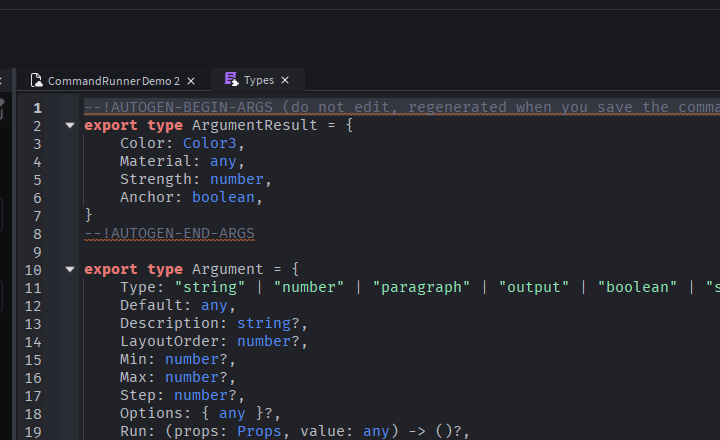
--!AUTOGEN-BEGIN-ARGS
export type ArgumentResult = {
    Color: Color3,
    Anchor: boolean,
    Spacing: number,
}
--!AUTOGEN-END-ARGS

return {}
The block between --!AUTOGEN-BEGIN-ARGS and --!AUTOGEN-END-ARGS is rewritten by the plugin every time you save the command's source. The rest of the file is yours to edit.
How typing reaches your Run
The default starter template that the plugin seeds for every new command already wires up the typed signature:
local Types = require(script.Types)

return {
    Description = "Describe what this command does.",
    Arguments = {

    } :: Types.ArgumentType,
    Run = function(props: Types.Props, arguments: Types.ArgumentResult)

    end,
} :: Types.ScriptModule
Two type assertions and two parameter annotations — you get all of them by default:
Arguments = { ... } :: Types.ArgumentType— narrows the Arguments table so each entry is type-checked against theArgumentshape.props: Types.Props— types the helper table (props.Selected,props.Plugin, etc.).arguments: Types.ArgumentResult— types the second positional parameter to match your schema. As you add fields toArguments, theArgumentResultblock in the siblingTypesmodule is regenerated on save andarguments.<key>picks up the right type.} :: Types.ScriptModule— narrows the whole return table so missing/typo'd top-level keys (OnExecutedvsOnExectued) get caught.
If you drop the arguments: Types.ArgumentResult annotation, arguments falls back to any, no autocompletion, no type-checking. Keep it. The same data is also available at props.Arguments.<key>, but Props.Arguments is typed any regardless — it's the loose-typed escape hatch, not the typed entry point.
How the AUTOGEN block is updated
The plugin regenerates the block when you click the edit pencil save icon (the one in the top bar that toggles between "edit" and "save" states based on whether the script editor is the active tab). On save:
- Your script's source is
RequireNoCache-loaded. - The
Argumentsschema is read. - Each entry's
Typeis mapped to a Luau type:
Argument Type | Luau type |
|---|---|
string | string |
paragraph | string |
output | string |
number | number |
boolean | boolean |
switch | boolean |
button | (omitted, no value) |
label | string |
dropdown | any |
instance | Instance? |
color | Color3 |
slider | number |
propertyPicker | any |
attributePicker | any |
colorPicker | Color3 |
- The
ArgumentResultblock is rewritten between the sentinel comments.
The rest of the Types module — the Props definition, any helper types you add — is untouched. You can append your own export type declarations to Types and they'll survive regenerations.
When the block doesn't regenerate
- You edited
Argumentsbut didn't click save. The save click is the trigger. Saving via Studio'sCtrl+Sin the script editor saves the file but doesn't run regenerate. The toolbar pencil's save flow is what does. - Your script has a syntax error.
RequireNoCachefails before the schema is readable. You'll see a warning in the console; fix the syntax and save again. - You don't have a
Typessibling module. This shouldn't happen for commands created through the plugin. If it does, delete the command and re-create it.
Why dropdown, propertyPicker, and attributePicker are any
Dropdown Values can be heterogeneous: Instance refs, EnumItems, tables, primitives. There's no single Luau type that captures the union without per-command analysis the plugin doesn't do (yet).
The same is true for propertyPicker and attributePicker — the captured value's type depends on which property/attribute the schema author chose. The plugin doesn't introspect Roblox class schemas, so the auto-generated type stays any.
If you want a tighter type, declare your own alias and use it in place of Types.ArgumentResult on the Run parameter:
local Types = require(script.Types)

type StrictArgs = Types.ArgumentResult & {
    Material: Enum.Material,    -- override the dropdown that's typed `any`
    Pos: Vector3,               -- override a propertyPicker reading "Position"
    HP: number,                 -- override an attributePicker reading a numeric attribute
}

return {
    Arguments = { ... },
    Run = function(props: Types.Props, arguments: StrictArgs)
        -- arguments.Material is now Enum.Material
        -- arguments.Pos is now Vector3
        -- arguments.HP is now number
    end,
}
The override survives regenerations because it lives in your command file, not in Types.